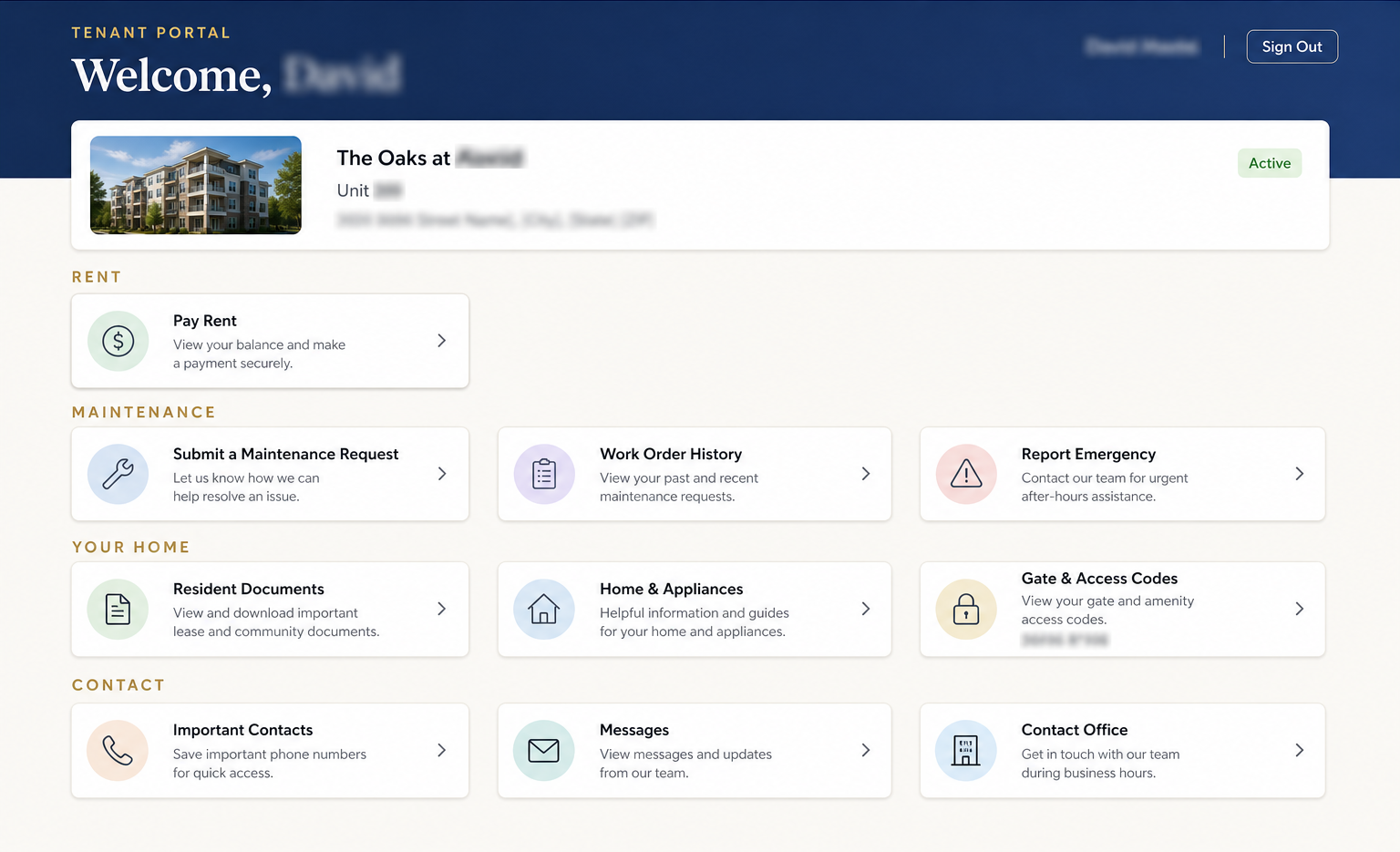
We’re excited to share that your resident portal has been updated to make managing your home easier than ever. We’ve reorganized everything into clear sections and added a few brand-new tools that many of you have asked for. Here’s a look at what’s new, and a full rundown of everything the portal can do.
What’s New
Resident Documents
View your lease agreement, addenda, and community documents anytime.
Home & Appliances
See the appliances and equipment in your unit and building, along with how-to guides and manuals.
Gate & Access Codes
No more hunting for that text message with the gate code. Your property’s access codes (front gate, garage door, and other shared entries) are now available right in the portal under Your Home → Gate & Access Codes. Please keep these confidential and only share them within your household.
Important Contacts
We’ve added an Important Contacts section so you can quickly reach helpful service providers for your property, such as a locksmith. Each contact includes a tap-to-call phone number and a link to their website where available.
A Cleaner, Organized Dashboard
Your dashboard is now grouped into simple, logical sections (Rent, Maintenance, Your Home, and Contact) so you can find what you need at a glance. We’ve also added your property’s photo next to your home details for a more personal touch.
Everything You Can Do in the Portal
Rent
- Pay Rent — Make a payment or view your payment history securely through TurboTenant.
Maintenance
- Submit a Maintenance Request — Report a new issue in your home or building in just a few taps.
- Work Order History — Track the status of your submitted requests from open to completed.
- Report an Emergency — Reach our team quickly for urgent, after-hours issues.
Your Home
- Resident Documents — View your lease agreement, addenda, and community documents anytime.
- Home & Appliances — See the appliances and equipment in your unit and building, along with how-to guides and manuals.
- Gate & Access Codes — Look up the gate, garage, and entry codes for your property.
- Important Contacts — Find vendors and service providers for your property, like the locksmith.
Contact
- Messages — Contact property management and view your past correspondence in one place.
- Contact Office — Reach out with general questions or inquiries.
Getting Started
Log in to your resident portal using the email address on file with our office. For your security, the portal uses two-factor authentication, so you’ll confirm your identity the first time you sign in on a new device. If you haven’t set up your account yet, or need a hand getting in, just reach out and we’ll help you get connected.
Questions or feedback about the new portal? We’d love to hear from you; send us a message through the portal or call our office at (424) 440-3326. Thank you for being part of our community!